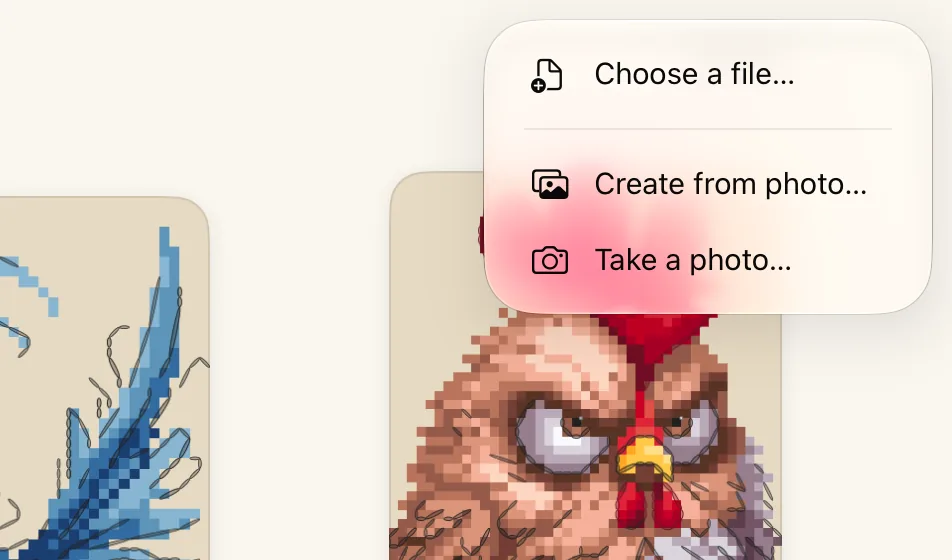
Find your pattern in Files and tap it. It can be in iCloud Drive, on your device, or in another app’s folder.
A card shows Importing while Crosstela reads the file. When it is done, the pattern opens.
(1) Tap +. (2) Tap Choose a file…. (3) Pick the pattern. (4) It opens, ready to mark.
Start with a sample
A new Crosstela has four designs on the shelf: Titmouse, Roadrunner, Spooky this way and Super Rooster. Tap one to open it and try marking before you bring in your own.
Deleted them? Tap the name or logo on the shelf, then Restore samples.
Other ways in
You can also send a file to Crosstela from Mail, Files or a browser, or drag it onto the shelf. See Bring in a pattern file.
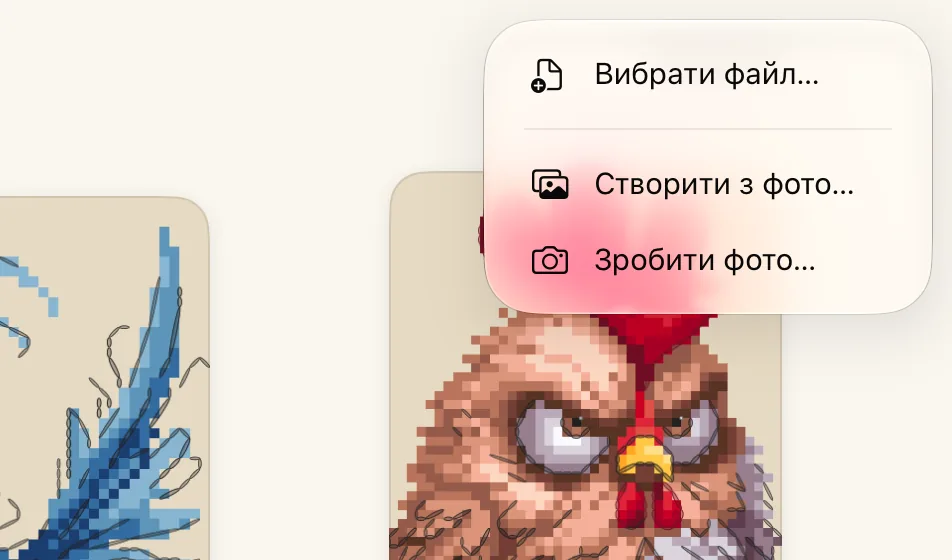
Знайдіть схему у Файлах і торкніться її. Вона може бути в iCloud Drive, на пристрої або в теці іншого застосунку.
Поки Crosstela читає файл, видно картку Імпорт. Коли все готово, схема відкривається.
(1) Торкніться +. (2) Торкніться «Вибрати файл…». (3) Виберіть схему. (4) Вона відкривається, і можна позначати.
Почніть зі зразка
У новій Crosstela на полиці вже є чотири дизайни: Titmouse, Roadrunner, Spooky this way і Super Rooster. Відкрийте будь-який і спробуйте позначати, перш ніж додавати свої.
Видалили їх? Торкніться назви або логотипа на полиці, а потім Відновити зразки.
Інші способи
Файл можна також надіслати в Crosstela з Пошти, Файлів чи браузера або перетягнути на полицю. Див. Додайте файл схеми.