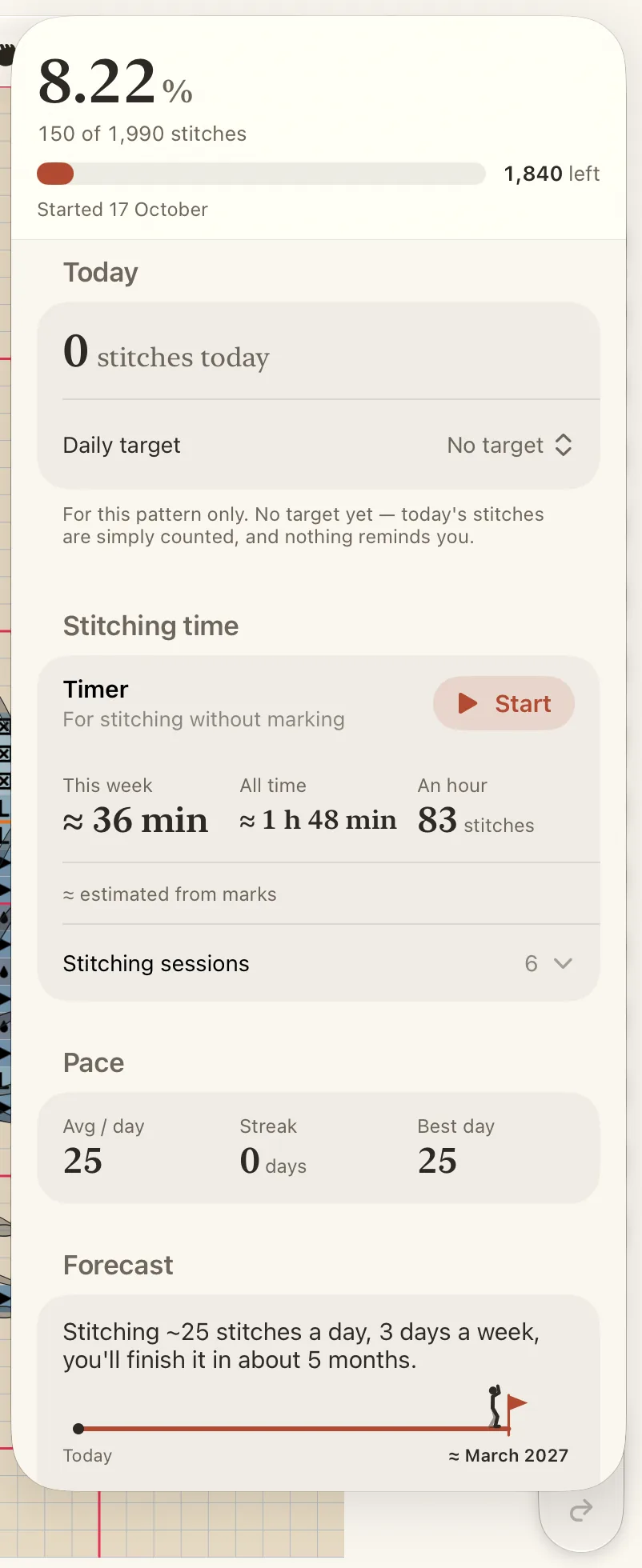
At the top you see the percentage, how many stitches are done of how many, and the day you started.
Today
Today counts the stitches you marked today. Beside it you can set a daily target for this pattern.
Pace and forecast
Pace shows three numbers: Avg / day (only the days you stitched count), Streak (days in a row) and Best day.
Forecast answers “when will I finish?”. Until you have stitched on a few days, it shows how long the pattern takes at an average pace. Then it counts from your own pace, as a range rather than a date. With Finish by, choose a date and see how many stitches a day it would take.
Day by day
Day by day draws one square for each day since you started, darker on the days you stitched more. Tap a square to read that day. Under it, Time-lapse plays your piece growing: see Watch and share your time-lapse.
Started before Crosstela?
Open Correct the count at the end of the panel, then tap I’ve stitched some of this before. Mark the squares you stitched earlier and tap Done on the capsule. These marks count in your progress, not in today.
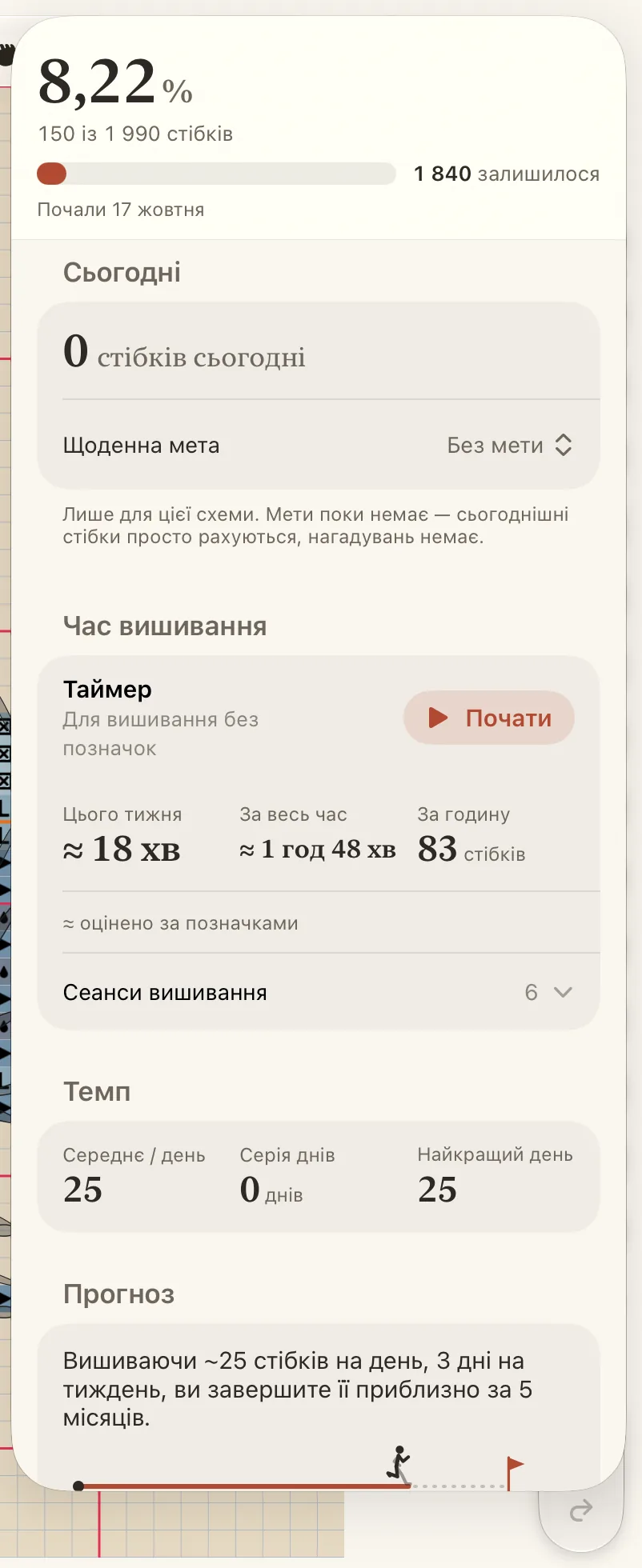
Угорі — відсоток, скільки стібків зроблено з усіх і день, коли ви почали.
Сьогодні
Сьогодні рахує стібки, позначені сьогодні. Поруч можна встановити щоденну мету для цієї схеми.
Темп і прогноз
Темп показує три числа: Середнє / день (враховуються лише дні, коли ви вишивали), Серія днів (дні поспіль) і Найкращий день.
Прогноз відповідає на питання «коли я закінчу?». Поки ви вишивали лише кілька днів, він показує, скільки триватиме робота в середньому темпі. Потім рахує за вашим власним темпом — як проміжок, а не точну дату. У рядку Завершити до виберіть дату й побачите, скільки стібків на день для цього потрібно.
За днями
За днями малює по клітинці на кожен день від початку роботи: що більше ви вишили, то темніша клітинка. Торкніться клітинки, щоб прочитати про той день. Під ним Таймлапс показує, як росла ваша робота: див. Перегляньте й поділіться таймлапсом.
Почали ще до Crosstela?
Розгорніть Виправити кількість наприкінці панелі й торкніться Частину цього я вишила раніше. Позначте клітинки, вишиті раніше, і торкніться Готово на капсулі. Ці позначки враховуються в загальному прогресі, але не в результаті за сьогодні.