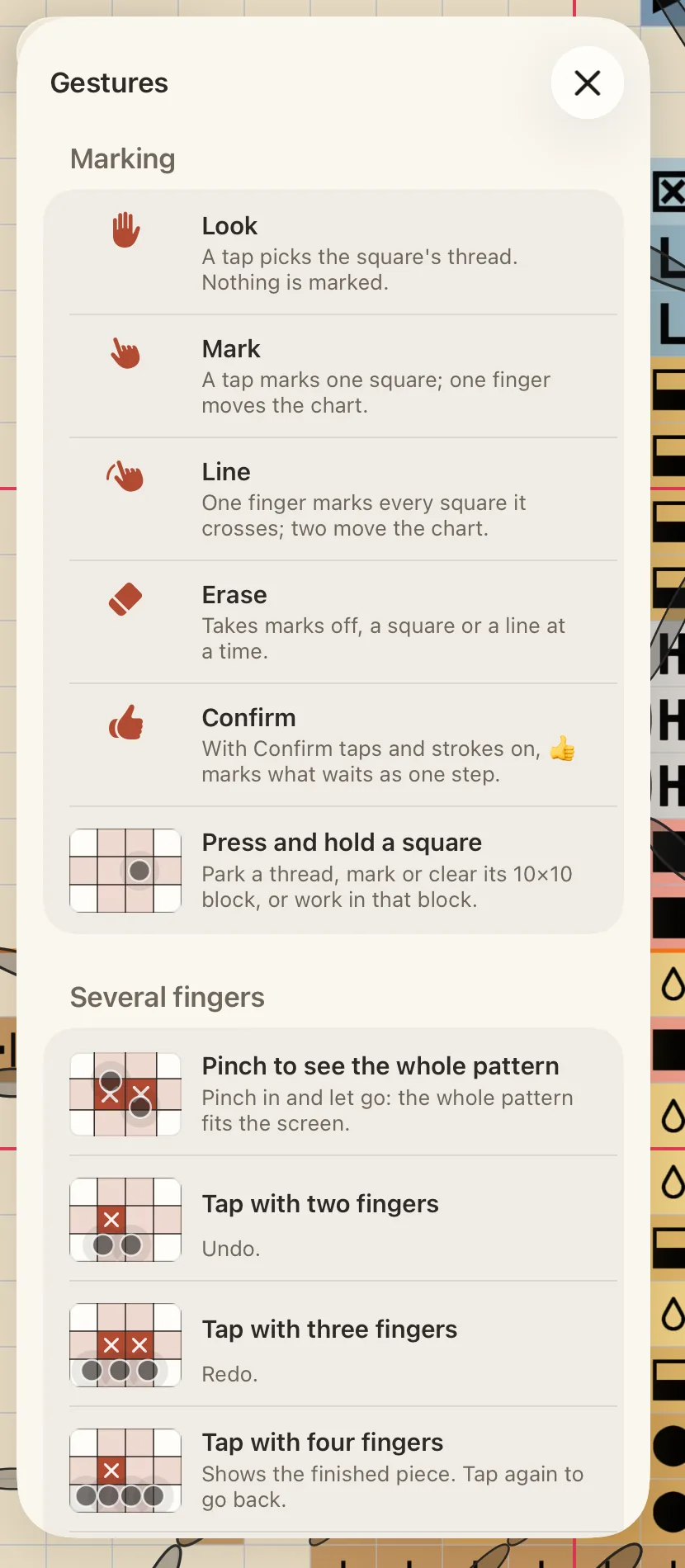
Marks every square it crosses; with Eraser, takes them off.
Press and hold a square
Park a thread, mark or clear its 10×10 block, or work in that block.
Pinch to see the whole pattern
Pinch in and let go: the whole pattern fits the screen.
Tap with two fingers
Undo.
Tap with three fingers
Redo.
Tap with four fingers
Shows the finished piece. Tap again to go back.
Tap with five fingers
Hides the tools, as holding the eye at the top does. Tap again to bring them back.
(1) Pinch in. (2) Let go: the whole pattern fits the screen.
On the colours
Gesture
What it does
Press and hold a colour
On the rail or in the Palette: its menu — show only it, mark it all done, find its patches, and more.
Pull down the colours
In the Palette, pull the list down to search.
With Apple Pencil
Whether the Pencil marks is the iPad’s own setting: Settings › Apple Pencil › Only Draw with Apple Pencil. When it is on, the Pencil marks squares with a tap or a stroke and fingers only move the chart. When it is off, the Pencil works like a finger. See Stitch with Apple Pencil.
Find the list in the app
Open the Pattern panel with the gear, tap View, and scroll to Gestures.
The same list lives in the app: Pattern › View › Gestures.
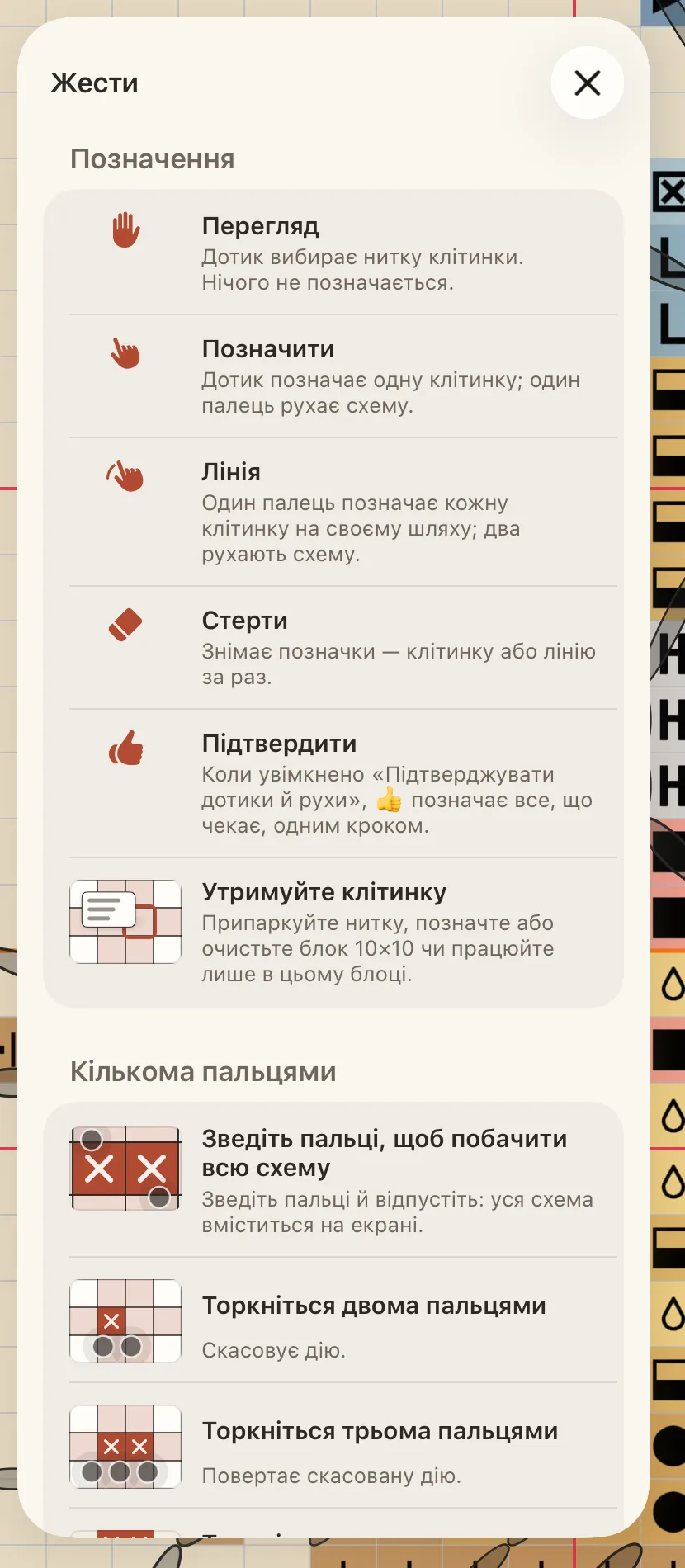
Позначає кожну, через яку він пройде; з Гумкою знімає їх.
Утримуйте клітинку
Припаркуйте нитку, позначте або очистьте блок 10×10 чи працюйте лише в цьому блоці.
Зведіть пальці, щоб побачити всю схему
Зведіть пальці й відпустіть: уся схема вміститься на екрані.
Торкніться двома пальцями
Скасовує дію.
Торкніться трьома пальцями
Повертає скасовану дію.
Торкніться чотирма пальцями
Показує готову роботу. Торкніться знову, щоб повернутися.
Торкніться п’ятьма пальцями
Приховує інструменти, як утримування ока вгорі. Торкніться знову, щоб повернути їх.
(1) Зведіть пальці. (2) Відпустіть: уся схема вміщується на екрані.
На кольорах
Жест
Що він робить
Утримуйте колір
На шкалі або в палітрі відкриється меню кольору: показати лише його, позначити все виконаним, знайти його ділянки тощо.
Потягніть список кольорів униз
У палітрі потягніть список униз, щоб відкрити пошук.
З Apple Pencil
Чи малює Pencil, вирішує системний параметр iPad: Параметри › Apple Pencil › Малювати лише Apple Pencil. Коли його ввімкнено, Pencil позначає клітинки дотиком або рухом, а пальці лише рухають схему. Коли вимкнено, Pencil працює як палець. Див. Вишивайте з Apple Pencil.
Де цей список у застосунку
Відкрийте панель «Схема» шестірнею, торкніться Вигляд і прокрутіть до розділу Жести.
Цей самий список є в застосунку: Схема › Вигляд › Жести.