On each device, sign in to the same Apple Account, with iCloud on.
Install Crosstela on each device.
Open Crosstela. Your patterns arrive on the shelf by themselves.
There is nothing to switch on inside the app. Crosstela syncs when iCloud is on for it in Settings › your name › iCloud.
Your work is saved first on the device
Every mark is saved on the device you are holding the moment you make it. Then it goes to iCloud and on to your other devices. With no internet, Crosstela keeps working; changes go up by themselves once you are back online.
The mark beside the name
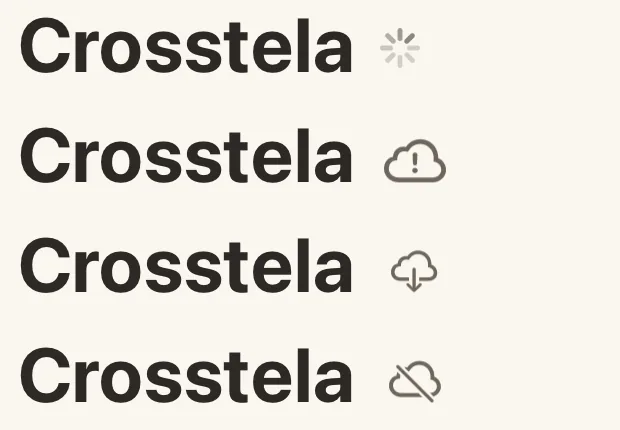
On the shelf, a small mark beside Crosstela tells you how syncing is going. No mark means everything is saved.
Mark
What it means
A spinner (after a few seconds)
Your work is safe here and still going to iCloud.
Struck-through cloud
Your work is safe on this device. It isn’t syncing to iCloud right now.
Illustration: each mark drawn on its own, not from a real account.
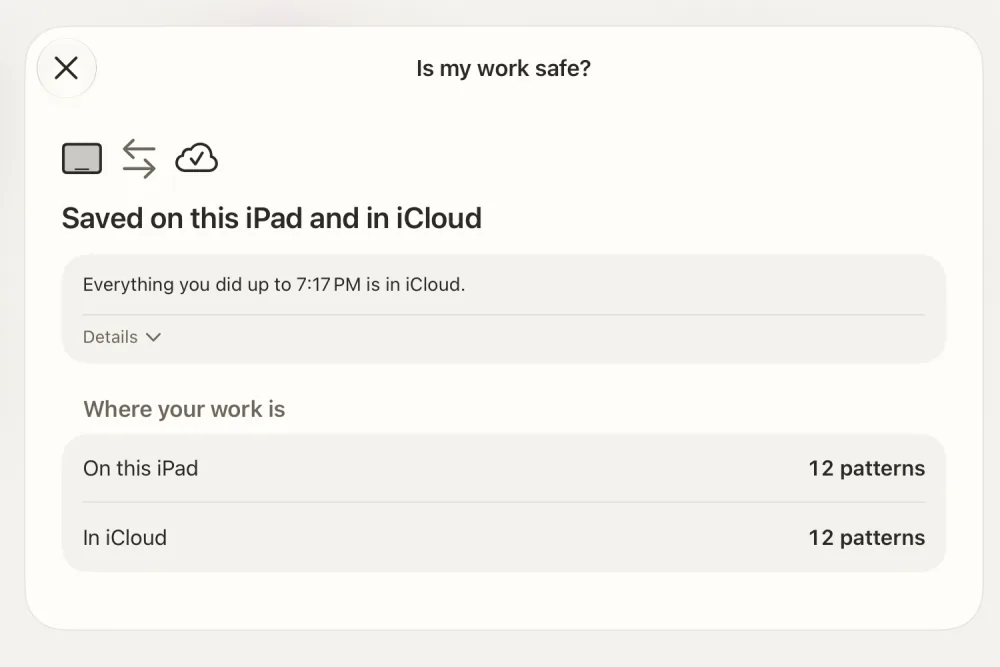
Tap the mark to open Is my work safe?. It says what happened, what it means for your work, and the one thing to do, if any.
Illustration: this page uses fixed facts, not a real iCloud account.
The same pattern changed on two devices
If you stitched one pattern on two devices at once while they could not sync, Crosstela keeps both versions. Is my work safe? names the pattern; open it and choose which version to keep stitching.
На кожному пристрої увійдіть в той самий Apple Account з увімкненим iCloud.
Установіть Crosstela на кожен пристрій.
Відкрийте Crosstela. Ваші схеми самі з’являться на полиці.
У самому застосунку нічого вмикати не треба. Crosstela синхронізується, коли для неї увімкнено iCloud у Параметри › ваше ім’я › iCloud.
Робота спершу зберігається на пристрої
Кожна позначка зберігається на пристрої в руках у ту ж мить. Потім вона йде в iCloud і далі на інші ваші пристрої. Без інтернету Crosstela працює далі; зміни самі підуть у iCloud, щойно з’явиться зв’язок.
Значок біля назви
На полиці маленький значок біля Crosstela показує, як іде синхронізація. Немає значка — усе збережено.
Значок
Що означає
Індикатор, що обертається (за кілька секунд)
Ваша робота тут у безпеці й ще передається в iCloud.
Перекреслена хмара
Ваша робота в безпеці на цьому пристрої. Вона зараз не синхронізується з iCloud.
Хмара зі знаком !
Ваша робота тут у безпеці, але iCloud потребує вашої уваги.
Ілюстрація: кожен значок намальовано окремо, а не зі справжнього облікового запису.
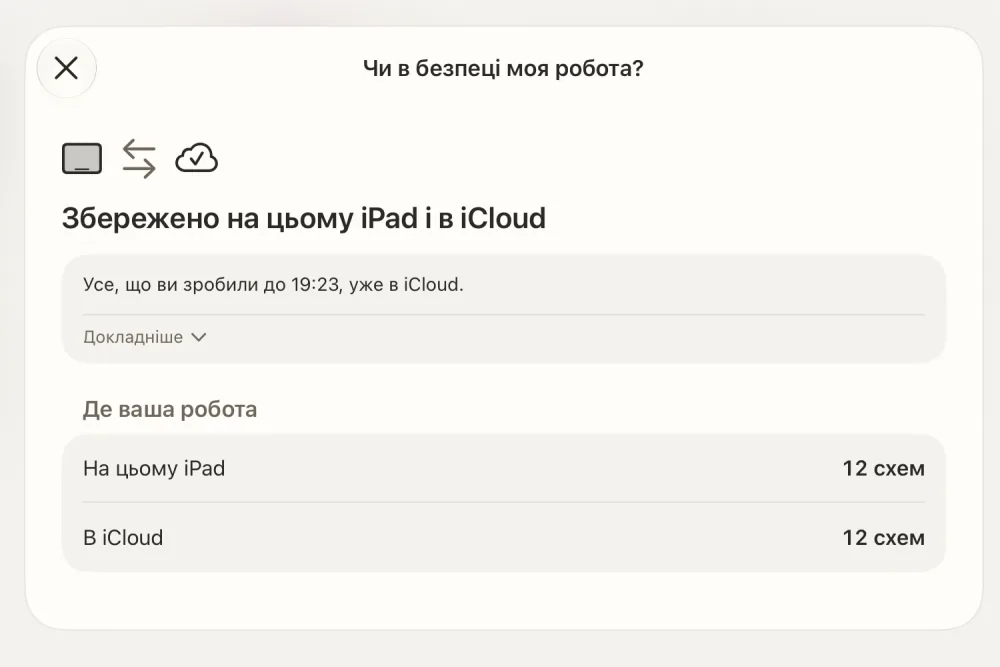
Торкніться значка, щоб відкрити Чи в безпеці моя робота?. Там сказано, що сталося, що це означає для вашої роботи і що зробити, якщо щось потрібно.
Ілюстрація: ця сторінка використовує фіксовані дані, а не справжній обліковий запис iCloud.
Одна схема змінилася на двох пристроях
Якщо ви вишивали одну схему на двох пристроях водночас, поки вони не могли синхронізуватися, Crosstela збереже обидві версії. Чи в безпеці моя робота? назве схему; відкрийте її й виберіть, яку версію вишивати далі.