LearnMake a pattern
Turn a photo into a cross-stitch pattern on iPhone, iPad and Mac
To turn a photo into a cross-stitch pattern, crop it to one clear subject, choose the size in stitches and the number of thread colours, and let a converter match every square to a thread. Crosstela does this free on iPhone, iPad and Mac, on the device itself, with DMC threads by default or another brand such as Anchor, Madeira or Gamma.
On this page
A cross-stitch pattern is a grid in which every square is one cross in one thread colour. A converter shrinks your photo to that grid and swaps each colour for the nearest thread. How good the result is depends more on the photo you start with, and the size you choose, than on the software.
Choose a photo that converts well
- One clear subject. A pet, a face, a house, a flower. A crowd of small figures turns into a few blobs.
- Contrast. Light from one side gives shadows the pattern can draw. Flat grey light gives a flat grey pattern.
- A plain background. Sky, a wall, a sheet behind the cat. A busy background becomes thousands of scattered stitches. You can also take it out and leave bare cloth.
- Sharp and well lit. Blur and noise do not improve when each square becomes a stitch.
- Crop close. Every square spent on the background is one fewer for the subject. Crop to the face, not the whole room.
Faces need more stitches than people expect. An eye one stitch wide cannot hold its highlight. Choose a photo where the face fills most of the frame, or make the pattern bigger.
Size: stitches and finished size
A pattern's size is counted in stitches. How big it comes out depends on the cloth. The count of Aida is how many squares it has to the inch: 14-count has 14.
The arithmetic is one division:
- stitches ÷ count = inches
- stitches ÷ count × 2.54 = centimetres
140 stitches on 14-count: 140 ÷ 14 = 10 inches, or 25.4 cm. The same pattern on 18-count: 140 ÷ 18 = 7.8 inches, or 19.8 cm. Same stitches, smaller picture, finer detail to the eye.
| Stitches across | 14-count | 16-count | 18-count |
|---|---|---|---|
| 70 | 5 in · 12.7 cm | 4.4 in · 11.1 cm | 3.9 in · 9.9 cm |
| 140 | 10 in · 25.4 cm | 8.8 in · 22.2 cm | 7.8 in · 19.8 cm |
| 200 | 14.3 in · 36.3 cm | 12.5 in · 31.8 cm | 11.1 in · 28.2 cm |
| 300 | 21.4 in · 54.4 cm | 18.8 in · 47.6 cm | 16.7 in · 42.3 cm |
Evenweave and linen are usually stitched over two threads, so 28-count over two gives 14 stitches to the inch, the same size as 14-count Aida.
Cut the cloth bigger than the design: 2–3 inches (5–8 cm) spare on every side leaves room for the hoop and for framing.
More stitches mean more detail and more hours. A first photo pattern of about 100 stitches across is a project you can finish; a 300-stitch portrait is a long one.
How many colours
Each colour is another thread, usually another skein to buy.
- Flat artwork, such as a logo, a cartoon or a silhouette, needs only the colours it already has.
- Pets, landscapes and flowers need enough shades for their shadows.
- Skin, fur and sky change colour gently; more colours make the steps between shades smaller.
Too many colours has a cost: more skeins, more thread changes, and shades so close you cannot tell them apart in your hand. Fewer colours look more like a drawing, and the subject still reads if the photo has contrast.
Detail and confetti
Confetti is stitchers' word for single stitches of one colour scattered among other colours. Each one means starting and ending a thread, or carrying it across the back. A photo converted without care is full of it.
Three things reduce confetti: fewer colours, smoother detail, and a bigger pattern, where a scatter of single stitches becomes small patches instead.
Crosstela tidies away lone specks as it converts. Its Detail setting runs from Simple to Detailed: Simple gives calmer, larger patches of colour; Detailed keeps fine lines such as whiskers and strands of hair. If you like confetti for its realism, the parking method is how stitchers work it without endless starts.
Make the pattern in Crosstela
Crosstela turns a photo into a pattern on iPhone, iPad and Mac. It is free, and the conversion runs on your device: the photo is not uploaded.
- On the shelf, tap +, then Create from photo…. To use the camera, tap Take a photo… instead.
- Choose a photo. Crosstela turns it into a chart straight away.
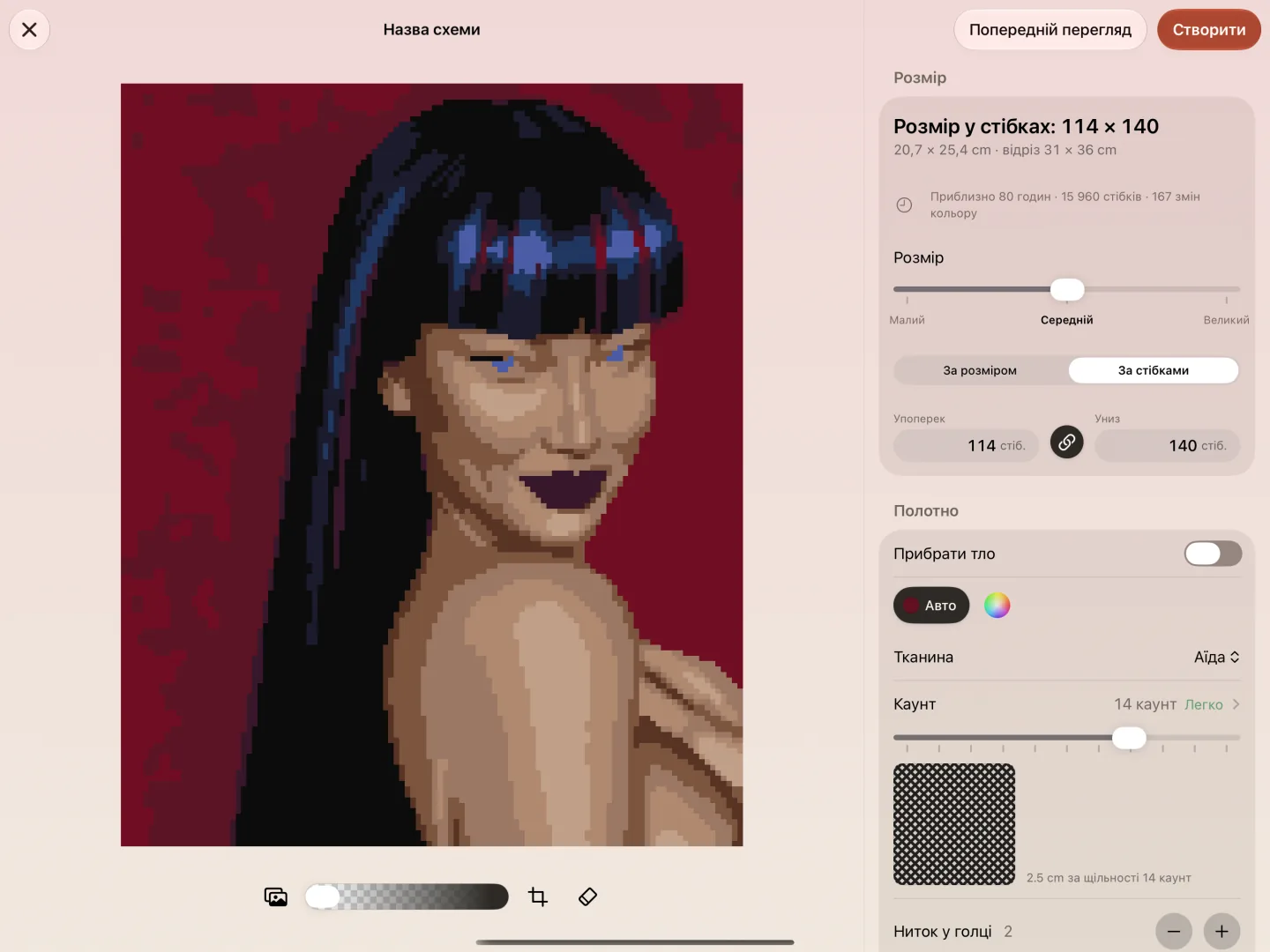
- Under Size, crop the photo and choose how big the pattern is, from 8 to 500 stitches a side. It starts at 140 across.
- Under Colours, choose how many threads it uses, from 2 to 60. It starts at 24. Threads sets the brand: DMC by default, or another range such as Anchor, Madeira or Gamma.
- Move Detail between Simple and Detailed.
- Under Canvas, choose the cloth and its count. Tap Count to see your chart on every count, with its finished size.
- To clear a busy background, choose Eraser: Erase takes out what you paint over, Magic eraser takes a whole patch of one colour with a tap, and Restore brings stitches back. Remove the background under Canvas does it in one switch, leaving bare cloth.
- Tap Create. The new pattern opens, ready to mark.
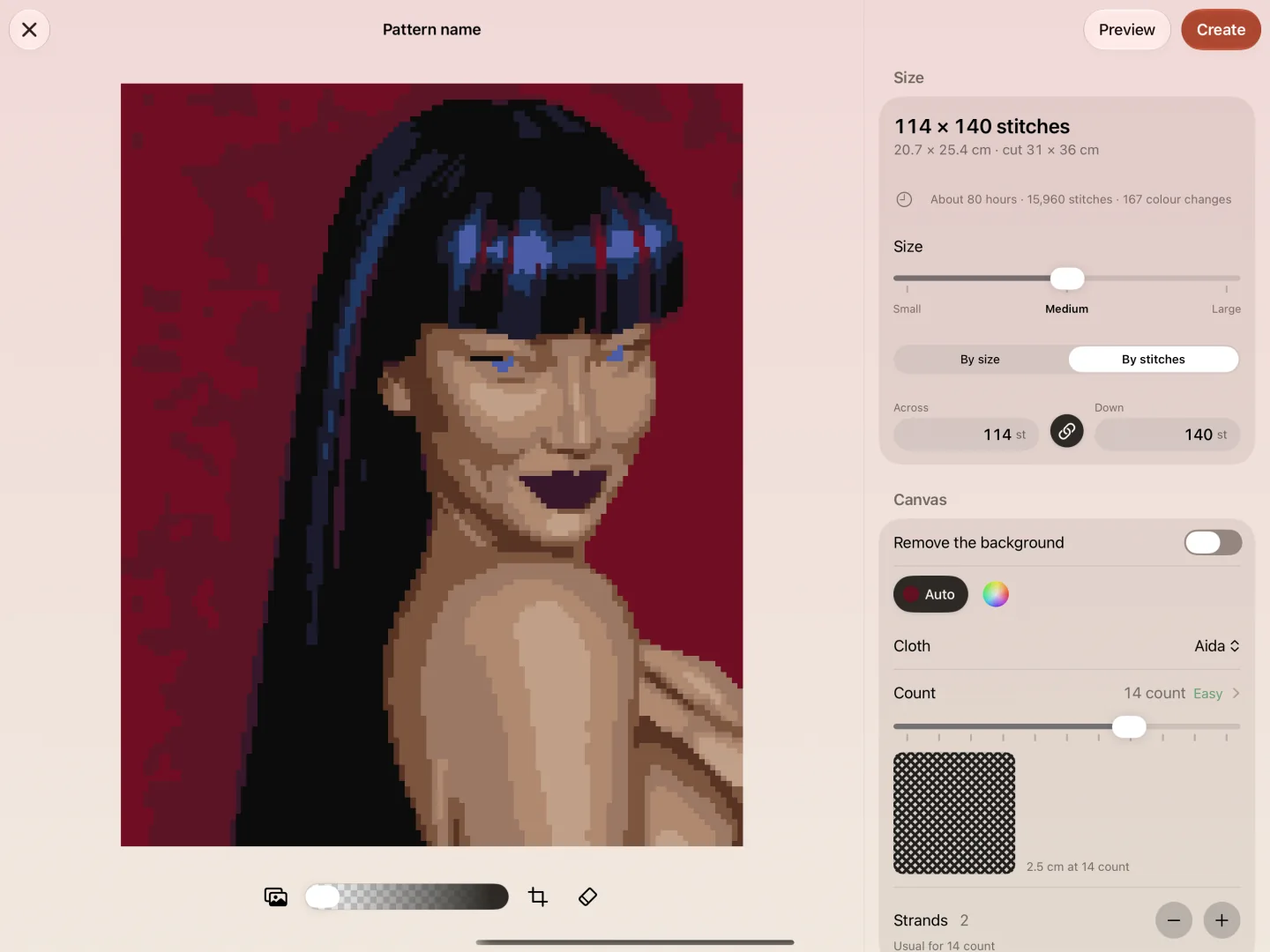
On iPhone the same tools sit in tabs along the bottom. Every control is described in Create a pattern from a photo.
Stitch it and keep track
A photo pattern has many colours and few long runs, so keeping your place matters more than in a simple design.
- On paper. Crosstela makes a PDF for printing, with a thread key. See Print a pattern.
- From the screen. Tap Mark, then tap each square you have stitched, or drag along a row. Marks wait in a lime frame until you tap 👍. See Mark stitches.
- One colour at a time. Tap a colour on the rail beside the chart: the others fade, and a capsule shows how many of its stitches are left. See Stitch one colour at a time.
- Your progress. Tap the percentage at the top right to see how many stitches are done of how many. See See your progress.
New to cross stitch altogether? Start with what you need and your first pattern.
Questions people ask
Can any photo become a cross-stitch pattern?
Any photo can be converted, but not every photo makes a good pattern. One clear subject, strong light and a plain background give the best result; crop close so the subject gets most of the stitches.
How big will my photo pattern be?
Divide the stitches by the cloth count to get inches, and multiply by 2.54 for centimetres. 140 stitches on 14-count Aida is 10 inches (25.4 cm); on 18-count it is 7.8 inches (19.8 cm).
How many colours should a photo pattern have?
As few as keep the subject recognisable. Flat artwork needs only its own colours; faces, fur and sky need more to shade smoothly. Crosstela lets you choose from 2 to 60 and starts at 24.
Is my photo uploaded anywhere?
Not with Crosstela. The conversion runs on your iPhone, iPad or Mac, and the app is free, with no purchases.
Can I convert a photo of a printed chart?
No. A photo converter makes a new design from a picture; it does not read the symbols of an existing chart. A pattern saved as a PDF by a design program opens in Crosstela with Choose a file…, but a scan or photo of a paper chart is not read as a pattern.