Crosstela LearnНавчання Get the appЗавантажити застосунок

LearnFollow your chart

Paper chart or app? An honest comparison for cross stitchers

Paper needs no battery, takes a pencil mark anywhere and has nothing to learn, so many stitchers never switch, and for a small chart there is no reason to. An app earns its place in a few specific ways: it keeps your place when the chart moves, lights one colour at a time, tallies for you, zooms for tired eyes and keeps your marks safe. It cannot read a scan or a photo of a paper chart, so those stay on paper.
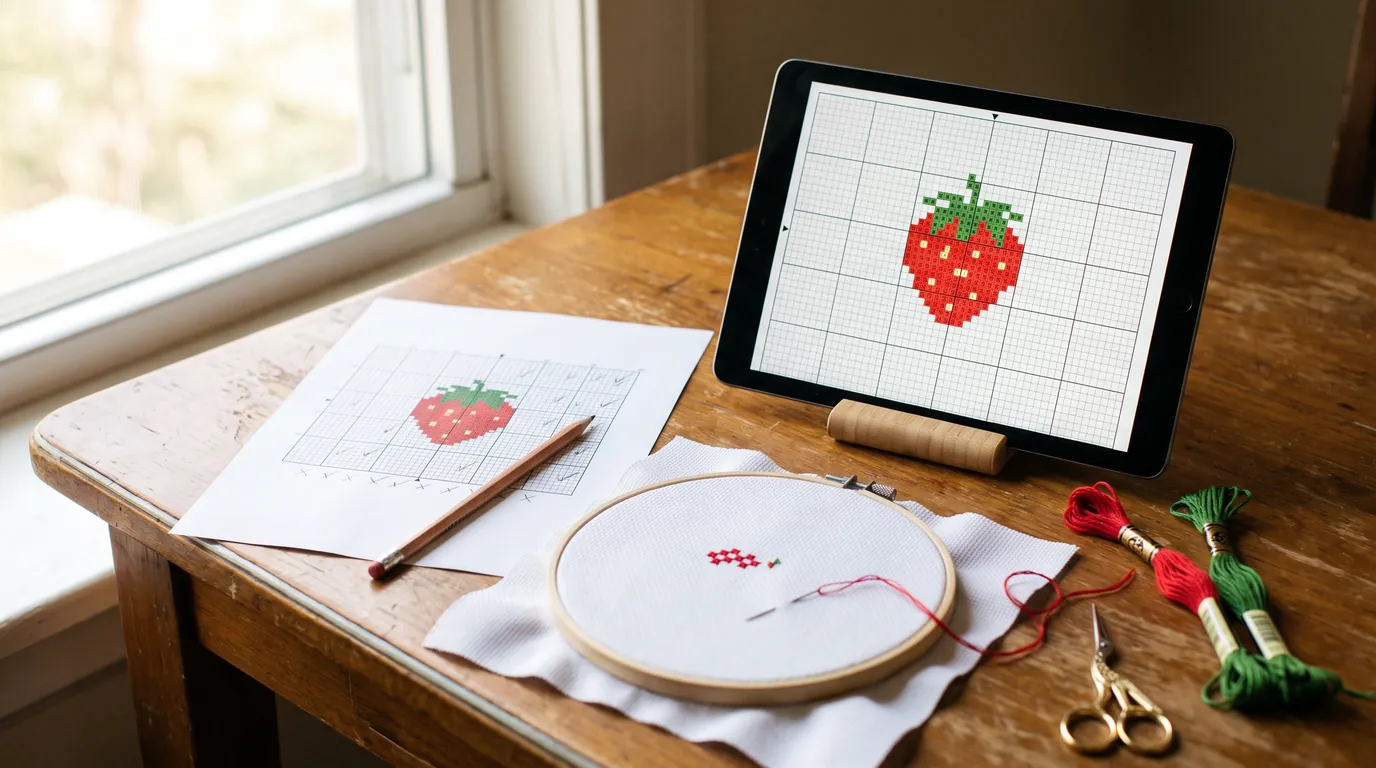
A printed strawberry chart with a pencil beside it and a tablet on a stand showing the same chart, with a small hoop, floss and gold scissors on a wooden table by a window.
On this page
  1. What paper does well
  2. What changes in an evening with an app
  3. What is worth worrying about
  4. Who should stay on paper
  5. Try it in five minutes, changing nothing
  6. Questions people ask

If you stitch from paper and it works for you, you do not need an app. Paper is a good way to stitch, and people have stitched from it for generations. This guide is for the stitcher who suspects an app might help but does not want to learn something new for a small gain. It says what paper does well, what really changes in an evening with an app, what is worth worrying about, and who should keep the pencil.

What paper does well

  • It needs no battery and has no screen. A paper chart works on a train and in a power cut.
  • You can write anywhere on it: a tick, a note in the margin, “two strands here”, a ring round a colour you keep mixing up.
  • There is nothing to learn. You already know how to use a pencil.
  • A chart spread on a table shows the whole design at a size you can read. On a phone you trade size against how much you see.
  • A kit leaflet or an old magazine chart is paper already, and it stays paper (more on that below).

What changes in an evening with an app

An app does not make you stitch faster. What it takes away is the bookkeeping around the stitching: finding your place and tallying what is left. Each point below is something Crosstela does, with the Handbook page that shows it.

The chart moves and your place stays

On paper your place is a finger, a pencil dot or a magnetic strip. Put the work down for a week, or let the chart slide off the arm of the sofa, and you start by working out where you were. In the app, a chart opens where you left it. If you have wandered off, Last stitch flies back to the last square you marked and lights it up. A marked square turns into a sewn cross, so the edge of the finished area is easy to see. See Find your place.

One colour lit, nothing to misread

Late in the day, a ring and a filled dot can look alike, and a highlighter makes it worse because it covers the symbol it marks. In the app, tap a colour on the rail beside the chart. Its stitches keep their colour, every other colour fades towards the cloth, and a capsule shows how many stitches of that colour are left. See Stitch one colour at a time.

Counting you no longer do

The capsule counts what is left of a colour. The progress panel shows how many stitches are done out of how many, and what you stitched today. Rulers number the rows and columns along the edges, and Counters put a small number beside each run of the colour you picked, saying how many stitches lie together. Cross stitch is still counted embroidery: you still match squares to holes in the cloth. What goes is the tally. See See your progress.

A big chart in your pocket

A chart that prints on many sheets, taped together, becomes one file. Pinch in and let go, and the whole pattern fits the screen; spread two fingers to read the squares. On a phone you see less at a time than on an iPad, but the chart goes wherever the phone goes. See Gestures.

Tired eyes

A printed symbol is as big as the printer made it, and a copier can enlarge it at the price of more sheets to tape. On a screen you zoom until the symbols are easy to read. An unmarked square shows its symbol on a pale tint of its thread’s colour, so you have two clues, not one. See Mark stitches.

Several charts, one bag

If you keep a few projects going, their charts sit on the shelf of one phone or iPad instead of in folders. See Organise your shelf.

If the paper gets wet

A chart marked in pencil exists once. Every mark in the app is saved on the device the moment you make it, and with iCloud on it also goes to your own iCloud and on to your other devices. A phone can fall in a sink as well, which is why the second copy matters. See Continue on another device.

Marks with a finger or Apple Pencil

Tap a square, or drag a finger along a row. By default a mark waits in a lime frame until you tap 👍, so a stray touch never counts, and a tap with two fingers undoes. On an iPad with an Apple Pencil, turn on Only Draw with Apple Pencil in the iPad’s Settings: the Pencil marks and your fingers move the chart, so a resting hand marks nothing. See Stitch with Apple Pencil.

What is worth worrying about

“I am not good with technology”

The routine for a first evening is short. Tap +, tap Choose a file…, pick the PDF. Tap Mark, tap the squares you have stitched, tap 👍. A new Crosstela has four designs on the shelf, so you can practise before you open a chart of your own. Marked too much? A tap with two fingers undoes it. If you are stuck, write to us. See Welcome to Crosstela.

“The screen will be in the way”

It is one more object beside the hoop. An iPad on a stand keeps both hands free, and the chart screen keeps its tools around the edges; a tap with five fingers hides them. While a chart is open, Crosstela stops the device going to sleep, and you can switch that off under Tools › Screen. One real difference: a screen shows colours its own way, and Night Shift or True Tone change them further, so match your floss to the number in the key, not to the screen. See Cross stitch on iPad.

“What about the battery?”

It uses the battery, and a screen that stays awake uses more than one that sleeps. We have no hours to quote, because they depend on the device. If you have a stand near a socket, keep the device on a charger while you stitch. Running flat costs you no work: each mark is saved the moment you make it, and Crosstela needs no internet.

“My charts are on paper already”

Plainly: Crosstela does not read a scan or a photo of a paper chart. Open one and the card says This looks like a scan or a photo of a chart. It needs the designer’s PDF or pattern file. Most patterns sold online are PDFs saved straight from a design program, so a recent chart you bought may well have one: ask the shop or the designer. A chart from an old magazine or a kit leaflet usually has no file at all. Keep stitching those from paper; that is fine. A few other apps do take a photo of a paper chart, and the comparison of cross-stitch apps says which. See When a file doesn’t open.

“Do I have to pay or sign up?”

No. Crosstela is free, with no ads, no account, no subscription and nothing to buy. It runs on iPhone and iPad with iOS or iPadOS 18 or later, and on a Mac with Apple silicon. There is no Android version.

Who should stay on paper

Stay on paper if:

  • your charts exist only on paper and the designer has no PDF;
  • there is no iPhone, iPad or Apple-silicon Mac in the house;
  • the chart is small enough to finish in a few evenings without losing your place, because paper does all the app would do;
  • you like a table with no screen on it. That is reason enough.

Many stitchers use both: the app for the long project, a printout in the bag. Crosstela makes a printable PDF of any chart you have open; see Print a pattern.

Try it in five minutes, changing nothing

Leave your paper chart where it is and try the app on a small free pattern.

  1. Install Crosstela, free, on an iPhone or iPad.
  2. On the same device, open the Strawberries pattern: a free beginner chart with 1,401 stitches in 8 colours, full crosses only. Tap its PDF, tap Share and choose Crosstela. A card shows Importing, and the chart opens. See Bring in a pattern file.
  3. Tap Mark, tap a few squares, tap 👍. Pinch to see the whole chart, then tap a colour on the rail.
  4. Go back to the shelf and open the chart again. It opens where you left it.

For a fair test, print the same PDF for the table and stitch the first colour from paper and the next from the app. See which one you reach for. If it is the paper, you have lost five minutes and nothing else.

Questions people ask

Is it better to cross stitch from paper or from an app?

Neither is better for everyone. Paper needs no battery and no learning, and it is enough for a small chart you finish in a few evenings. An app helps most on long charts and busy ones, where finding your place, one colour at a time and the tally save the most effort.

How do I mark a cross-stitch pattern without a highlighter?

Tick the squares in pencil on a working copy, so they rub out if you unpick a stitch, or slide a ruler or strip of card under your row and cover what you have done. In an app, a tap marks the square and a sewn cross replaces the symbol. See How to keep your place on a cross-stitch chart.

Can I use a photo of my paper chart in Crosstela?

No. Crosstela reads PDFs and pattern files made by a program. A clean chart image saved by a design program can open, but a photo or scan of a paper chart is not read, and the card says so. Ask the designer for the PDF, or keep that chart on paper.

Do I need to pay or make an account to use Crosstela?

No. It is free, with no ads, no subscription and no account. Your patterns and marks stay on your device, and go to your own iCloud if you have iCloud on.

НавчанняВишивайте за схемою

Схема на папері чи в застосунку: чесне порівняння для вишивальниць

Папір не потребує батареї, приймає олівець де завгодно й нічого не вимагає вчити, тож багато вишивальниць не переходять, а для маленької схеми й немає причини. Застосунок виправдовує себе в кількох конкретних речах: пам'ятає місце, коли схему зсунули, підсвічує один колір, веде підрахунок, збільшує для втомлених очей і береже позначки. Скан чи фото паперової схеми він не читає, тож такі схеми лишаються на папері.

Надрукована схема полуниці з олівцем поруч і планшет на підставці з тією самою схемою, а також маленькі п'яльця, мулине й золоті ножиці на дерев'яному столі біля вікна.
На цій сторінці
  1. Що добре в папері
  2. Що змінюється ввечері з застосунком
  3. Типові сумніви
  4. Кому краще лишитися на папері
  5. Спробуйте за п'ять хвилин, нічого не змінюючи
  6. Часті питання

Якщо ви вишиваєте за паперовою схемою і вас усе влаштовує, застосунок вам не потрібен. Папір — хороший спосіб вишивати, і за ним вишивають не одне покоління. Ця стаття для вишивальниці, яка підозрює, що застосунок міг би допомогти, але не хоче вчити щось нове заради маленької вигоди. Вона розповідає, що добре в папері, що справді змінюється ввечері з застосунком, чого варто остерігатися і кому краще лишити олівець.

Що добре в папері

  • Йому не потрібна батарея, і екрана в нього немає. Паперова схема працює в поїзді й тоді, коли вимкнули світло.
  • На ній можна писати де завгодно: галочку, примітку на полях, «тут у дві нитки», кружечок навколо кольору, який ви постійно плутаєте.
  • Нічого вчити не треба. Олівцем ви вже користуєтеся.
  • Схема, розкладена на столі, показує весь малюнок у розмірі, який легко читати. На телефоні доводиться обирати між розміром і тим, скільки видно.
  • Схема з набору чи зі старого журналу вже паперова й паперовою лишається (про це нижче).

Що змінюється ввечері з застосунком

Застосунок не змусить вас вишивати швидше. Він знімає облік навколо вишивання: пошук місця й підрахунок того, що лишилося. Кожен пункт нижче — те, що вміє Crosstela, зі сторінкою Посібника, де це показано.

Схему зсунули, а місце лишилося

На папері ваше місце — це палець, олівцева крапка чи магнітна смужка. Відкладіть роботу на тиждень або дайте схемі зсунутися з бильця дивана, і почнете з того, що згадуватимете, де ви були. У застосунку схема відкривається там, де ви її залишили. Якщо відійшли далеко, Останній стібок повертає до останньої позначеної клітинки й підсвічує її. Позначена клітинка стає вишитим хрестиком, тож межу готової ділянки добре видно. Див. Знайдіть своє місце.

Один колір світиться, плутати нічого

Пізно ввечері кільце й суцільна крапка можуть здатися однаковими, а маркер ще й закриває символ, який позначає. У застосунку торкніться кольору на шкалі збоку схеми. Його стібки лишаються кольоровими, решта кольорів тьмяніє, а капсула показує, скільки стібків цього кольору лишилося. Див. Вишивайте один колір за раз.

Підрахунок бере на себе застосунок

Капсула рахує, скільки лишилося стібків кольору. Панель прогресу показує, скільки стібків зроблено з усіх і що ви вишили сьогодні. Лінійки нумерують рядки й стовпці вздовж країв, а Лічильники ставлять біля кожного ряду вибраного кольору маленьке число: скільки стібків лежить поспіль. Вишивка хрестиком лишається лічильною: клітинки схеми ви й далі зіставляєте з дірочками канви. Зникає тільки підрахунок. Див. Дивіться свій прогрес.

Велика схема в кишені

Схема, яку друкують на багатьох аркушах і склеюють, стає одним файлом. Зведіть пальці й відпустіть, і вся схема вміститься на екрані; розведіть два пальці, щоб розгледіти клітинки. На телефоні за раз видно менше, ніж на iPad, але схема йде туди, куди й телефон. Див. Жести.

Втомлені очі

Друкований символ такий великий, яким його надрукував принтер; копіювальний апарат збільшить його, але ціною додаткових аркушів, які треба склеювати. На екрані ви збільшуєте, доки символи не стануть легко читатися. Непозначена клітинка показує символ на блідій плямі кольору своєї нитки, тож підказок дві, а не одна. Див. Позначайте стібки.

Кілька схем, одна сумка

Якщо ведете кілька робіт одночасно, їхні схеми лежать на полиці одного телефона чи iPad, а не в теках. Див. Упорядкуйте полицю.

Якщо папір намокне

Схема з олівцевими позначками існує в одному примірнику. Кожна позначка в застосунку зберігається на пристрої в ту ж мить, а коли iCloud увімкнено, потрапляє ще й у ваш власний iCloud та на інші ваші пристрої. Телефон теж може впасти в раковину, тому друга копія важлива. Див. Продовжуйте на іншому пристрої.

Позначки пальцем або Apple Pencil

Торкніться клітинки або проведіть пальцем уздовж ряду. Типово позначка чекає в салатовій рамці, доки ви не торкнетеся 👍, тож випадковий дотик нічого не зараховує, а дотик двома пальцями скасовує. На iPad з Apple Pencil увімкніть у Параметрах iPad Малювати лише Apple Pencil: тоді позначає Pencil, а пальці рухають схему, і рука, що спирається на екран, нічого не позначить. Див. Вишивайте з Apple Pencil.

Типові сумніви

«Я не вмію з технікою»

Перший вечір — це коротка послідовність. Торкніться +, потім Вибрати файл… і виберіть PDF. Торкніться Позначити, потім вишитих клітинок, потім 👍. У новій Crosstela на полиці вже є чотири дизайни, тож можна потренуватися, перш ніж відкрити власну схему. Позначили забагато? Дотик двома пальцями скасовує. Якщо застрягли, напишіть нам. Див. Ласкаво просимо до Crosstela.

«Екран заважатиме»

Це ще одна річ біля п'ялець. iPad на підставці лишає обидві руки вільними, а на екрані схеми інструменти стоять по краях; дотик п'ятьма пальцями ховає їх. Поки схема відкрита, Crosstela не дає пристрою заснути, і це можна вимкнути в Інструменти › Екран. Одна справжня відмінність: екран показує кольори по-своєму, а Night Shift чи True Tone змінюють їх ще більше, тож підбирайте мулине за номером у ключі, а не за екраном. Див. Вишивка хрестиком з iPad.

«А що з батареєю?»

Вона розряджається, і екран, що не гасне, розряджає її сильніше, ніж той, що засинає. Годин ми назвати не можемо, бо це залежить від пристрою. Якщо підставка стоїть біля розетки, тримайте пристрій на зарядці, поки вишиваєте. Якщо він розрядиться, робота не пропаде: кожна позначка зберігається в ту ж мить, а інтернет Crosstela не потрібен.

«Мої схеми вже на папері»

Прямо: Crosstela не читає скан чи фото паперової схеми. Відкрийте таке, і картка скаже: Схоже, це скан або фото схеми. Їй потрібен PDF або файл схеми від автора. Більшість схем, які продають в інтернеті, — це PDF, збережені просто з програми для схем, тож у недавно купленої схеми він цілком може бути: запитайте в магазині чи в авторки. Схема зі старого журналу чи з набору зазвичай файлу не має зовсім. Вишивайте такі за папером, це цілком добре. Деякі інші застосунки таки приймають фото паперової схеми, а порівняння застосунків для вишивки каже, які саме. Див. Коли файл не відкривається.

«Чи треба платити або реєструватися?»

Ні. Crosstela безкоштовна: без реклами, без акаунта, без підписки й без покупок. Вона працює на iPhone і iPad з iOS чи iPadOS 18 або новішою та на Mac з Apple silicon. Версії для Android немає.

Кому краще лишитися на папері

Лишайтеся на папері, якщо:

  • ваші схеми існують лише на папері, а PDF в автора немає;
  • вдома немає ні iPhone, ні iPad, ні Mac з Apple silicon;
  • схема така мала, що її можна вишити за кілька вечорів, не загубивши місця: папір зробить усе, що зробив би застосунок;
  • вам подобається стіл без екрана. Цього досить.

Багато вишивальниць користуються обома: застосунком для довгої роботи й роздруківкою в сумці. Crosstela створює PDF для друку з будь-якої відкритої схеми; див. Друк схеми.

Спробуйте за п'ять хвилин, нічого не змінюючи

Паперову схему лишіть де є й спробуйте застосунок на невеликій безкоштовній схемі.

  1. Встановіть безкоштовну Crosstela на iPhone чи iPad.
  2. На тому ж пристрої відкрийте схему «Полуниці»: безкоштовна схема для початківців, 1 401 стібок у 8 кольорах, лише повні хрестики. Торкніться її PDF, потім «Поділитися» й виберіть Crosstela. Картка покаже Імпорт, і схема відкриється. Див. Додайте файл схеми.
  3. Торкніться Позначити, торкніться кількох клітинок, потім 👍. Зведіть пальці, щоб побачити всю схему, а тоді торкніться кольору на шкалі.
  4. Поверніться на полицю й відкрийте схему знову. Вона відкриється там, де ви її залишили.

Для чесної перевірки надрукуйте цей самий PDF для столу й вишийте перший колір за папером, а наступний за застосунком. Подивіться, до чого рука тягнеться сама. Якщо до паперу, ви втратили п'ять хвилин, і більше нічого.

Часті питання

Що краще для вишивки хрестиком: папір чи застосунок?

Нічого, що підходило б усім однаково. Папір не потребує ні батареї, ні навчання, і його досить для маленької схеми, яку закінчують за кілька вечорів. Застосунок найбільше допомагає на довгих і строкатих схемах, де найбільше зусиль економлять пошук місця, один колір за раз і підрахунок.

Як відмічати вишите на схемі без маркера?

Ставте олівцем галочки на робочій копії, щоб їх можна було стерти, коли розпускаєте стібок, або підсуньте під свій ряд лінійку чи смужку картону й закрийте зроблене. У застосунку дотик позначає клітинку, і вишитий хрестик заступає символ. Див. Як не загубити місце на схемі для вишивки.

Чи можна використати в Crosstela фото моєї паперової схеми?

Ні. Crosstela читає PDF і файли схем, створені програмою. Чітке зображення схеми, збережене програмою для схем, може відкритися, а фото чи скан паперової схеми не читається, і картка про це скаже. Попросіть PDF в авторки або лишіть цю схему на папері.

Чи треба платити або створювати акаунт, щоб користуватися Crosstela?

Ні. Вона безкоштовна: без реклами, без підписки й без акаунта. Ваші схеми й позначки лишаються на пристрої, а коли iCloud увімкнено, потрапляють у ваш власний iCloud.